Heselo

Solutions

Table and room reservation system

A reservation system is more than picking a free slot. A booking for a table or room must connect to the live session, payment, and history. Heselo keeps schedule and reservation list on the same data.

Schedule

Today

Select a row · move · cancel

What does Heselo give for reservations?

Heselo shows tables, rooms, and stations by day and week on the schedule. The reservations list covers guest, time, labels, pre-order, deposit, move, and cancel. When guests arrive, the same booking becomes a live session.

Reservation features

Schedule

Tables, rooms, and stations in one view.

Reservation list

Filters, status, history, and actions.

Live handoff

One path from booking to active session.

Customer link

Bookings connect to customer cards and visit history.

Who is it for?

Gaming clubs, karaoke, billiards, anti-cafés, and room lounges that want professional table, room, or station booking.

Limits of standalone booking tools

  • Schedule and live floor do not see each other
  • Move/cancel history disappears
  • Pre-order and deposits live elsewhere
  • Past days are hard to audit
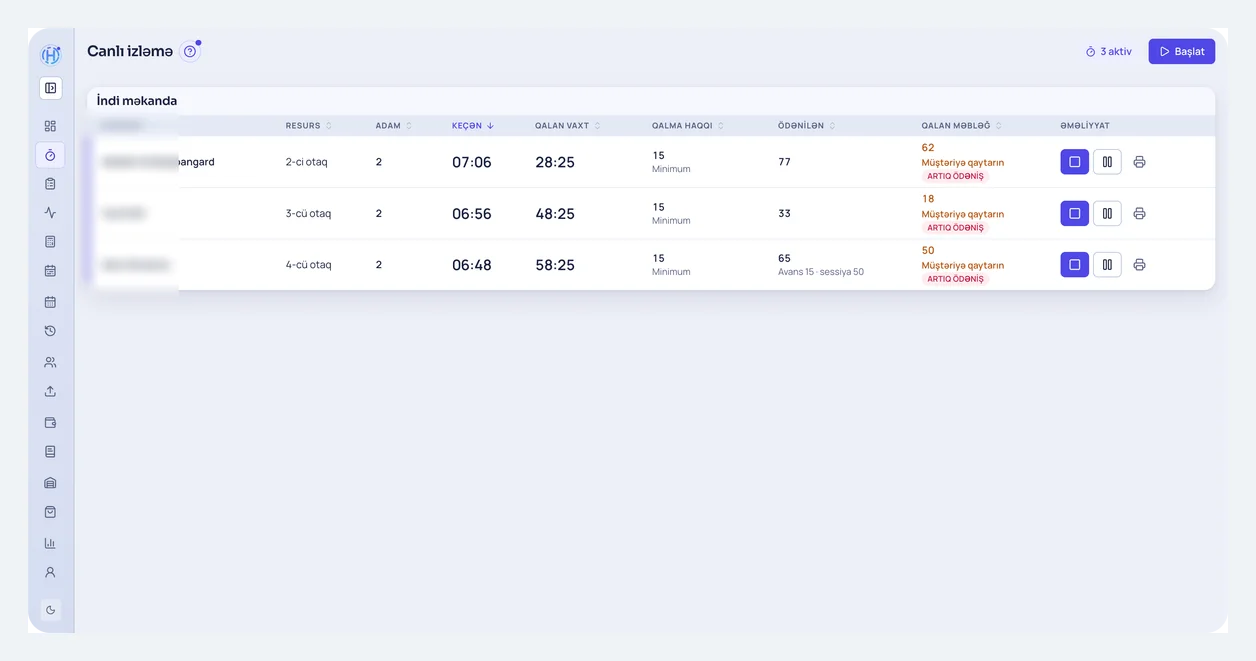
Heselo live floor — active room sessions and payment

Why “just booking” is not enough

A booking tool does not close cash or track inventory. Heselo ties reservations into daily venue work — so “reservation system” and “venue management” meet in one product.

Looking at iiko, Clopos or Excel?

If you need a room-time panel instead of a restaurant POS or spreadsheets, read the honest comparison guides. Keep a restaurant stack when kitchen/KDS is the core.

Questions

People ask us this often

Are tables and rooms in the same system?

Yes. Both are set up individually and appear on the schedule and reservation list.

Are past days protected?

Yes. Changes to past days follow venue protection rules.

How is it different from an online booking widget?

A widget only lets guests pick a free slot; it knows nothing about what happens after they arrive. In Heselo the same booking becomes a live session and stays linked to payment, pre-order, and customer history. Schedule, floor, and cash all see the same data — the booking and the payment never drift apart.

How do phone and WhatsApp bookings work?

The admin enters a booking from a call or message straight onto the schedule: guest, time, table or room, and labels. Because everyone sees the same schedule, the risk of double-booking a place drops. Moves and cancellations stay in the history, so “who changed this?” always has an answer.

Can several venue types share one schedule?

Yes. PlayStation stations, billiard tables, and karaoke or lounge rooms are set up separately but appear on one schedule and one reservation list. In a mixed venue the admin runs every zone from one screen, and cash closes in the same shift.

Where is pricing listed?

Reservations and the schedule are the core of the panel; the price depends on your venue-type plan. The Small plan starts at 15 USD a month for PS/gaming, 18 for billiards, 19 for anti-cafés, and 24 for karaoke and lounges. The full table is on the pricing page, and the demo is free.

Message on WhatsApp